How to Build a Lead Generation Automation with n8n (Step-by-Step Guide)
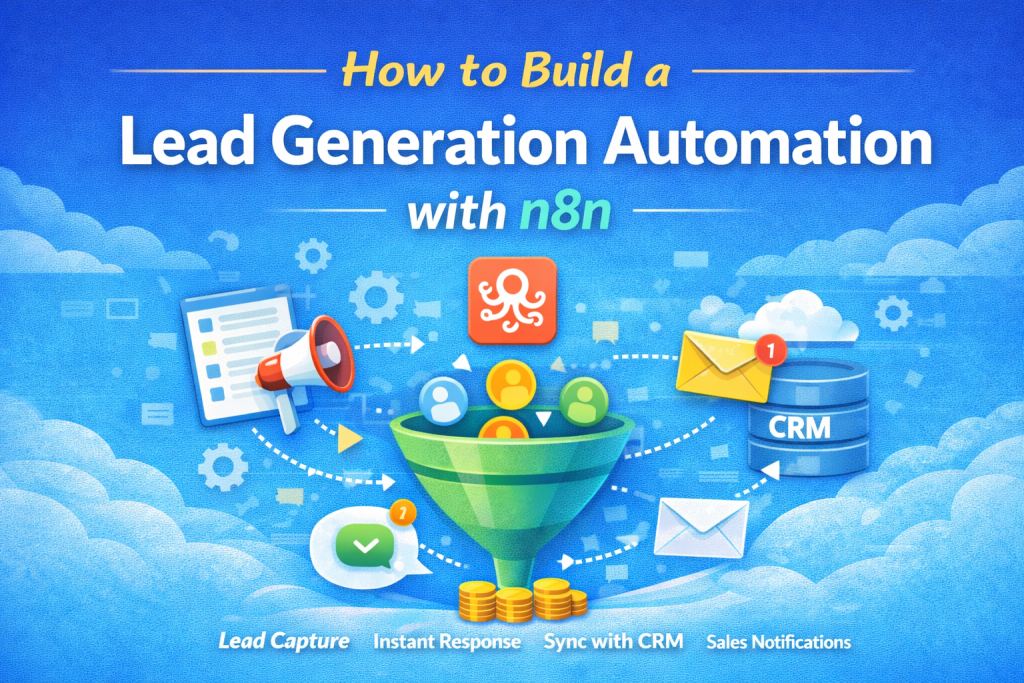
How to Build a Lead Generation Automation with n8n
Lead generation is one of the most important activities for any business. However, manually collecting leads, responding to inquiries, and storing data in CRM systems can be time-consuming.
With n8n automation, businesses can create automated workflows that capture leads, send instant responses, and store lead information automatically. This allows marketing teams to focus on converting leads instead of managing repetitive tasks.
Platforms like BizFlowKit help businesses discover automation tools and workflows that simplify lead generation and marketing operations.
What is Lead Generation Automation?
Lead generation automation is the process of automatically capturing and managing leads using software workflows. Instead of manually collecting customer data, automation tools handle everything from form submissions to CRM updates.
Automation workflows can help businesses:
- Capture leads from websites and landing pages
- Send instant responses to new leads
- Store lead information in CRM systems
- Notify sales teams immediately
- Track lead engagement
Why Use n8n for Lead Generation?
n8n is an open-source workflow automation platform that connects different applications and automates business processes.
Benefits of using n8n include:
- Open-source and flexible
- Supports hundreds of integrations
- Custom automation workflows
- No coding required for basic workflows
- Cost-effective automation solution
Many automation tools and workflows can be explored on BizFlowKit to help businesses build powerful automation systems.
Step-by-Step Guide to Build a Lead Generation Automation
Step 1: Create a Lead Capture Form
The first step is to create a lead capture form on your website. This form collects important information such as:
- Name
- Email address
- Phone number
- Company name
- Service interest
Once a visitor submits the form, the automation workflow will trigger.
Step 2: Set Up a Webhook Trigger in n8n
In n8n, create a Webhook Trigger node. This node receives data whenever someone submits your website form.
The webhook will capture:
- Lead name
- Message or inquiry
- Source of the lead
Step 3: Validate and Process Lead Data
After receiving the lead information, the workflow can validate the data to ensure it is correct.
For example:
- Check if email is valid
- Remove spam submissions
- Standardize phone number format
Step 4: Send Instant Lead Response
Speed is crucial in lead conversion. Automation allows businesses to instantly respond to new leads.
Example response:
"Thank you for contacting us! Our team has received your inquiry and will get back to you shortly."
This response can be sent via:
- SMS
Step 5: Save Lead to CRM
The workflow should automatically store lead information in your CRM system.
Popular CRM integrations include:
- HubSpot
- Salesforce
- Zoho CRM
- Google Sheets
This ensures all leads are organized and accessible to the sales team.
Step 6: Notify the Sales Team
After capturing a new lead, the workflow can notify your sales team instantly.
Notifications can be sent through:
- Slack
- Microsoft Teams
This ensures your team can quickly follow up with potential customers.
Advanced Lead Automation Ideas
- Automatically score leads based on activity
- Send follow-up email sequences
- Track user interactions on the website
- Segment leads based on interests
- Create automated nurture campaigns
Best Practices for Lead Generation Automation
- Respond to leads instantly
- Keep lead forms short and simple
- Segment leads for better targeting
- Track performance of lead sources
- Regularly optimize your workflows
Final Thoughts
Lead generation automation can dramatically improve how businesses capture and manage potential customers. With tools like n8n, companies can build powerful workflows that handle the entire lead management process.
If you want to explore more automation tools and workflows, visit BizFlowKit to discover solutions that help businesses automate and scale their operations.